Pages

Monday, 6 January 2025

Master Cancellations with All-in-One Cancel for Sales, Purchases, and Stock Moves

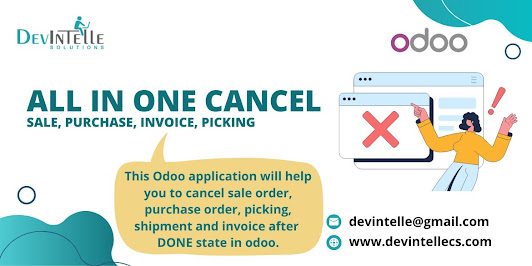
Cancellations are a common part of running any business. Customers change their minds; suppliers face challenges or stock adjustments require correction. However, managing these cancellations in Odoo can be a complex and time-consuming process, especially when multiple modules like Sales, Purchases, and Inventory are involved. That’s where the All-in-One Cancel solution comes in a tool designed to simplify cancellations and keep your business running smoothly.

This blog will explain how the All-in-One Cancel app works, its benefits, and why it’s a must-have for businesses using Odoo.


The Challenge of Managing Cancellations in Odoo


Odoo is an incredible platform that easily handles sales, purchases, and inventory. However, cancellations can sometimes require multiple steps:

  1. Canceling a sales or purchase order may need linked invoices or stock moves to be reversed.
  2. Canceling stock moves requires adjustments to inventory and validation steps.
  3. Bulk cancellations are not always straightforward and may require manual work.

These processes can become tedious and prone to errors, especially for businesses handling a high volume of transactions. That’s why the All-in-One Cancel app is such a valuable tool. It simplifies and automates cancellations across Sales, Purchases, and Stock Moves, making the process faster and error-free.


What Is the All-in-One Cancel App?


The All-in-One Cancel app for Odoo is a tool designed to handle cancellations across multiple modules. Whether you’re canceling a sales order, purchase order, picking, or stock move, this app automatically reverses all related operations. It provides a single platform to manage cancellations, saving time and reducing manual effort.


Key Features of the All-in-One Cancel App


Here’s what makes this app essential for businesses:

1. Cancel Sales Orders Easily

This app allows you to cancel sales orders at any stage draft, confirmed, or delivered. It automatically reverses all associated invoices, stock moves, and other related operations.

2. Simplify Purchase Order Cancellations

Canceling purchase orders is no longer a multi-step process. The app cancels the order and reverses receipts and vendor bills, ensuring no discrepancies in stock or accounting.

3. 
Handle Picking and Delivery Cancellations

Canceling deliveries or incoming shipments is effortless. The app adjusts stock levels so your inventory always reflects the correct quantities.

4. Reverse Stock Moves and Adjustments

Stock moves are at the heart of inventory management. This app allows you to cancel stock moves while maintaining accurate inventory records.

5. 
Bulk Cancellations

Need to cancel multiple records at once? The app supports bulk cancellations for orders, pickings, and stock moves, saving significant time.

6. 
User-Friendly Interface

The app simple interface makes selecting and canceling entries easy without requiring advanced technical knowledge.


Benefits of the All-in-One Cancel App

1. Save Time and Effort

Canceling orders and stock operations manually can take hours, especially for businesses with high transaction volumes. This app automates cancellations, reducing the time required and freeing up resources for other tasks.

2. Prevent Errors

Manual cancellations increase the risk of mistakes, such as incorrect stock levels or incomplete accounting entries. The app ensures accurate cancellations so your system remains error-free.

3. Maintain Data Consistency


The app automatically reverses all linked transactions, including invoices, stock moves, and journal entries. This ensures that your data stays consistent across modules.

4. Improve Operational Efficiency


By simplifying cancellations, the app allows your team to focus on core business operations rather than administrative tasks.

5. Enhance Scalability


Whether a small business or a growing enterprise, this app adapts to your needs. It’s particularly useful for companies handling bulk transactions.

How Does the All-in-One Cancel App Work?


Using the All-in-One Cancel app is straightforward. Here’s how it works:

  1. Install the App

    Start by installing the All-in-One Cancel app from the Odoo App Store. Once installed, it integrates seamlessly with your existing Odoo setup.

  2. Navigate to the Cancellation Interface

    Access the app’s interface, where you’ll find options to cancel sales orders, purchase orders, pickings, and stock moves.

  3. Select the Records to Cancel

    Choose the records you want to cancel. You can select individual entries or use the bulk cancellation feature for multiple records.

  4. Confirm the Cancellation

    Review the selected entries and confirm the cancellation. The app automatically handles all related operations, such as reversing stock adjustments or invoices.

  5. Verify the Results

    After the cancellation, you can check your records to ensure everything has been updated correctly.

Real-Life Scenarios for Using the App


Scenario 1: Customer Order Cancellations


A customer changes their mind after placing an order. Without this app, you’d need to cancel the sales order manually, adjust stock levels, and reverse any invoices. The All-in-One Cancel app handles these steps for you in one go.


Scenario 2: Supplier Delivery Issues


If a supplier cannot deliver goods, you may need to cancel the purchase order. The app automatically cancels the order and reverses related receipts and vendor bills, preventing overstocking or mismatched accounting entries.


Scenario 3: Inventory Errors


Inventory adjustments can sometimes lead to incorrect stock moves. This app allows you to reverse those moves and restore accurate stock levels.


Scenario 4: Bulk Order Cancellations


During a seasonal sale, you realize multiple orders need to be canceled. Instead of handling each individually, the app’s bulk cancellation feature lets you manage them all simultaneously.


Why Choose the All-in-One Cancel App?


The All-in-One Cancel app is a must-have for businesses prioritizing efficiency and accuracy. Here’s why it’s worth investing in:

  • Comprehensive Functionality: Handle cancellations across Sales, Purchases, and Inventory in one place.
  • Ease of Use: The app’s intuitive design makes it accessible to all users.
  • Time-Saving Automation: Spend less time on cancellations and more on growing your business.
  • Reliable Performance: Ensure accurate and consistent data across your Odoo system.


Conclusion


Cancellations are inevitable in business operations, but they don’t have to be a headache. The All-in-One Cancel app for Odoo simplifies cancellations across Sales, Purchases, and Inventory, saving time and reducing errors. Whether dealing with individual orders or bulk transactions, this tool ensures that your system remains accurate and efficient.

Don’t let cancellations disrupt your workflow. Equip your Odoo system with the All-in-One Cancel app and take control of your business operations today.

Wednesday, 1 January 2025

How to create form view in odoo | Odoo 17 Development Tutorials


This simple guide teaches how to create a form view in Odoo 17. Start by defining your model in Python to structure your data. Next, create an XML file to design the form view layout, specifying fields and attributes for user interaction. Use the record tag to link the form view to the model. Add the form view to a menu or action for accessibility. Test the form view to ensure it displays correctly and functions as expected. With these steps, you can easily create a form view to manage data efficiently in Odoo 17.


Customer Credit Limits in Odoo: Everything You Need to Know

Managing customer credit is a critical aspect of any business, especially for those that offer products or services on credit. Odoo ERP provides an excellent solution for handling customer credit limits efficiently. This blog will cover everything you need about setting up, using, and benefiting from customer credit limits in Odoo.


What Are Customer Credit Limits?

Customer credit limits refer to the maximum amount of credit a customer can owe your business at any time. These limits ensure customers do not exceed a safe credit threshold, protecting your business from financial risks and providing cash flow stability.

Odoo credit limit functionality allows businesses to define these limits for individual customers, track outstanding balances, and restrict transactions when limits are exceeded.

Why Are Credit Limits Important?


  1. Risk Management:Credit limits help minimize the risk of bad debts by ensuring customers don’t overextend their credit.
  2. Improved Cash Flow:By controlling credit, businesses can ensure timely payments, positively impacting cash flow.
  3. Better Customer Management:Setting credit limits allows businesses to categorize customers based on their payment behavior and financial stability.
  4. Automation and Alerts:Odoo can automatically restrict transactions if the credit limit is exceeded, reducing manual oversight.

How to Set Up Customer Credit Limits in Odoo

Setting up customer credit limits in Odoo is straightforward. Follow these steps:

Step 1: Activate Credit Limit Feature

To use this functionality, ensure the credit limit feature is enabled in your Odoo configuration. This may require installing a credit limit module if it’s unavailable in your standard installation.

Step 2: Configure Credit Limits for Customers

  1. Go to the Customers module.
  2. Open a specific customer’s profile.
  3. Locate the field for Credit Limit and enter the desired limit amount.

Step 3: Define Restrictions

You can configure the system to restrict sales orders or invoices if a customer exceeds their credit limit. This can be set under Accounting Settings or the specific customer profile.

Step 4: Enable Notifications

Set up alerts to notify sales or accounting teams when a customer’s credit limit is approaching or exceeded.

Using Customer Credit Limits in Odoo

Once the credit limits are set up, Odoo automatically tracks transactions and ensures the boundaries are respected. Here’s how it works in real-time:

  1. Sales Orders and Invoices:

    When creating a sales order or invoice, Odoo checks the customer’s outstanding balance against their credit limit. The system can block the transaction or alert the user if the limit is exceeded, depending on the settings.

  2. Payment Tracking:

    As customers make payments, their outstanding balance is updated, freeing up credit for new transactions.

  3. Reports and Insights:

    Odoo offers reporting tools to monitor credit utilization, overdue payments, and customer payment trends.

Benefits of Customer Credit Limits in Odoo


Automated Control:

Odoo handles credit limit checks automatically, saving time and reducing errors.

Flexibility:

You can set different credit limits for customers based on their payment history and business relationship.

Real-Time Monitoring:

With Odoo dashboards, you can monitor credit usage and outstanding payments in real-time.

Improved Customer Relations:

By offering controlled credit, businesses can strengthen trust with reliable customers while maintaining financial safety.

Scalability:

Odoo credit limit functionality grows with your business, allowing you to manage hundreds or thousands of customers efficiently.

Customizing Credit Limits in Odoo

Every business has unique needs, and Odoo allows customization to meet those requirements. Here are some common customizations:

  1. Credit Limit by Customer Type: Different credit limits for wholesalers, retailers, or direct consumers.
  2. Dynamic Credit Adjustments: Automatically increase credit limits for customers with excellent payment records.
  3. Integration with Other Modules: Link credit limits with sales, CRM, or inventory modules for a seamless workflow.
  4. Custom Alerts:Set up tailored notifications for specific users or teams when credit issues arise.

Common Challenges and Solutions

Challenge 1: Overdue Payments

If customers delay payments, their credit can be frozen.

Solution:

Enable automated reminders for overdue payments and integrate with payment gateways for easy payment options.

Challenge 2: Transaction Blocking

Blocking transactions for exceeding credit limits may disrupt sales.

Solution:

Allow temporary overrides by authorized personnel to process urgent orders.

Challenge 3: Tracking Large Customer Bases

Managing credit limits for many customers can be overwhelming.

Solution:

Use Odoo bulk import and reporting tools to handle multiple customer records efficiently.

Tips for Effective Credit Limit Management in Odoo

  1. Regularly Review Limits: Periodically assess and update customer credit limits based on their payment behavior.
  2. Leverage Reporting Tools: Use Odoo financial reports to gain insights into credit utilization and overdue accounts.
  3. Integrate with CRM: Combine credit data with CRM to understand customer behavior and improve relationship management.
  4. Educate Your Team: Train your sales and accounting teams to use credit limit features in Odoo effectively.

Real-Life Applications of Credit Limits in Odoo


1. Wholesale Businesses:

Manage bulk orders from retailers by setting appropriate credit limits for each client.

2. Service Providers:

Offer credit for recurring services while ensuring limits are respected to avoid unpaid invoices.

3. E-commerce Stores:

Allow loyal customers to purchase on credit while monitoring their payment behavior.

Conclusion

Customer credit limits in Odoo are a powerful tool for managing financial risks and ensuring smooth operations. With automated checks, customizable settings, and real-time monitoring, Odoo makes credit management efficient and reliable. By implementing credit limits, businesses can maintain healthy cash flow, minimize risks, and foster better customer relationships.

Start using Odoo credit limit functionality today and take control of your customer transactions!


Tuesday, 31 December 2024

How to Import Sale Order Lines in Odoo | Simplify Sale Order in Odoo

Learn how to efficiently import sale order lines in Odoo using this app. Simplify the process by uploading sale order data through Excel or CSV files. Map fields directly to ensure accurate data entry for products, quantities, prices, and other details. The app validates and updates records instantly, reducing manual work and errors. It supports bulk imports, enabling you to handle large datasets with ease. Easily review imported sale orders to confirm accuracy before processing. With this solution, you can save time, improve order management, and keep your sales data organized and up to date in Odoo.


Tuesday, 24 December 2024

Understanding Purchase and Sale Consignment in Odoo

Understanding Purchase and Sale Consignment Management System in Odoo

Efficient inventory management is crucial for businesses to stay competitive, and consignment management is vital in optimizing stock operations. In Odoo, the Purchase and Sale Consignment Management System is designed to simplify the handling of consigned goods, providing a seamless solution for managing inventory and financial processes. This blog will delve into the essential aspects of consignment management in Odoo, covering its features, workflows, and benefits.


What Is Consignment Management?

Consignment is a business arrangement where a supplier (consignor) provides goods to a reseller (consignee) without an upfront payment. The reseller sells the goods and pays the supplier only after the goods are sold. This arrangement allows businesses to reduce inventory risks while expanding their offerings.

Odoo’s consignment management system facilitates purchase and sale consignment scenarios, enabling businesses to track consigned goods and manage transactions efficiently. Let’s break down the workflows for purchase and sale consignment in Odoo.

Purchase Consignment Workflow in Odoo

The purchase consignment process in Odoo allows businesses to manage goods received on consignment from suppliers. Here’s how the workflow operates:

  1. Vendor Agreement: The first step involves creating a consignment agreement with the supplier. This agreement outlines the terms, such as payment timelines, goods ownership, and pricing.

  2. Receipt of Consigned Goods: When goods are received from the supplier, they are recorded in the system as consigned inventory. Until sold, these goods are not considered part of the company’s stock.

  3. Stock Movement: Odoo tracks consigned goods' stock movements, ensuring clear visibility at the inventory level. Users can access real-time data on the availability of consigned stock.

  4. Invoicing and Payment: When consigned goods are sold, an invoice is generated for the supplier based on the agreed terms. Payments are processed only after the sale, reducing upfront financial commitments.

  5. Reporting and Analytics: Odoo provides detailed reports on consignment inventory, sales performance, and payment statuses. These insights help businesses make data-driven decisions.

Sale Consignment Workflow in Odoo

The sale consignment process is designed for businesses acting as consignors, supplying goods to resellers. The workflow includes:

  1. Consignment Agreement Creation: Businesses create agreements with their resellers, specifying terms such as pricing, payment cycles, and stock ownership.

  2. Stock Allocation: Consigned goods are allocated to the reseller’s inventory. Odoo ensures proper tracking of these goods without transferring ownership until sold.

  3. Sales and Tracking: Resellers sell the consigned goods to end customers. Odoo’s tracking system monitors sales activity, providing transparency into the performance of consigned stock.

  4. Invoicing and Settlement: Once the reseller sells the goods, an invoice is generated for the agreed amount. Payments are collected based on the consignment agreement.

  5. Returns Management: Unsold or defective goods can be returned to the consignor. Odoo handles returns seamlessly, updating stock records and financial data.

  6. Comprehensive Reports: To optimize operations, businesses can access detailed reports on consignment sales, inventory levels, and reseller performance.

Key Features of Odoo Consignment Management

  1. Real-Time Stock Tracking: Odoo advanced stock tracking capabilities ensure accurate visibility of consigned goods, reducing errors and inefficiencies.

  2. Flexible Invoicing Options: The system supports diverse invoicing scenarios, allowing businesses to handle consignment payments efficiently.

  3. Automated Notifications: Businesses can configure computerized notifications for low stock levels, payment reminders, and agreement renewals.

  4. Integrated Reporting Tools: Detailed analytics provide actionable insights into sales trends, stock performance, and financial transactions.

  5. Return Management: Odoo simplifies the process of managing returns, ensuring proper reconciliation of inventory and accounts.

  6. Seamless Integration: The consignment module integrates with other Odoo modules, such as Inventory, Accounting, and Sales, offering a unified platform for business operations.

Benefits of Using Odoo for Consignment Management

  1. Reduced Financial Risk: By leveraging consignment, businesses minimize the risk of unsold stock and reduce upfront inventory costs.

  2. Enhanced Inventory Control: Real-time tracking of consigned goods ensures accurate stock management and prevents overstocking or understocking.

  3. Improved Cash Flow: Payment obligations arise only after the sale of goods, improving liquidity for suppliers and resellers.

  4. Streamlined Operations: Automation and integration across modules save time and reduce manual inventory and financial management errors.

  5. Data-Driven Decision Making: Comprehensive reports and analytics empower businesses to make informed decisions, optimizing sales and inventory strategies.

  6. Scalability: Odoo’s flexible architecture supports businesses of all sizes, making it an ideal solution for growing enterprises.

Best Practices for Consignment Management in Odoo

To maximize the efficiency of your consignment operations, consider these best practices:

  1. Clearly Define Agreements: Ensure all consignment agreements are detailed and documented, covering key terms such as pricing, payment schedules, and ownership.

  2. Monitor Stock Levels: Regularly track consigned inventory to maintain optimal stock levels and prevent shortages.

  3. Leverage Automation: Reduce manual workload by using Odoo automation features for invoicing, notifications, and stock updates.

  4. Analyze Performance: Utilize Odoo reporting tools to assess consigned goods' performance and identify areas for improvement.

  5. Collaborate with Partners: Maintain clear communication with suppliers and resellers to ensure smooth consignment operations.

  6. Train Your Team: Provide adequate training on using Odoo consignment features to ensure seamless adoption.

Conclusion

Odoo Purchase and Sale Consignment Management System is a powerful tool for businesses looking to optimize their inventory and financial operations. It offers robust features for tracking, invoicing, and reporting and simplifies the complexities of consignment management. Whether you’re a supplier or reseller, Odoo integrated approach ensures streamlined workflows and improved profitability.

Investing in a robust consignment management system like Odoo enhances operational efficiency and provides a competitive edge in today’s dynamic business environment. Explore Odoo consignment capabilities today and take your inventory management to the next level.